Conversation and progress in one place.
Ask in team chat and see task status and results on the same screen. Each project has its own workspace, so context stays separate.
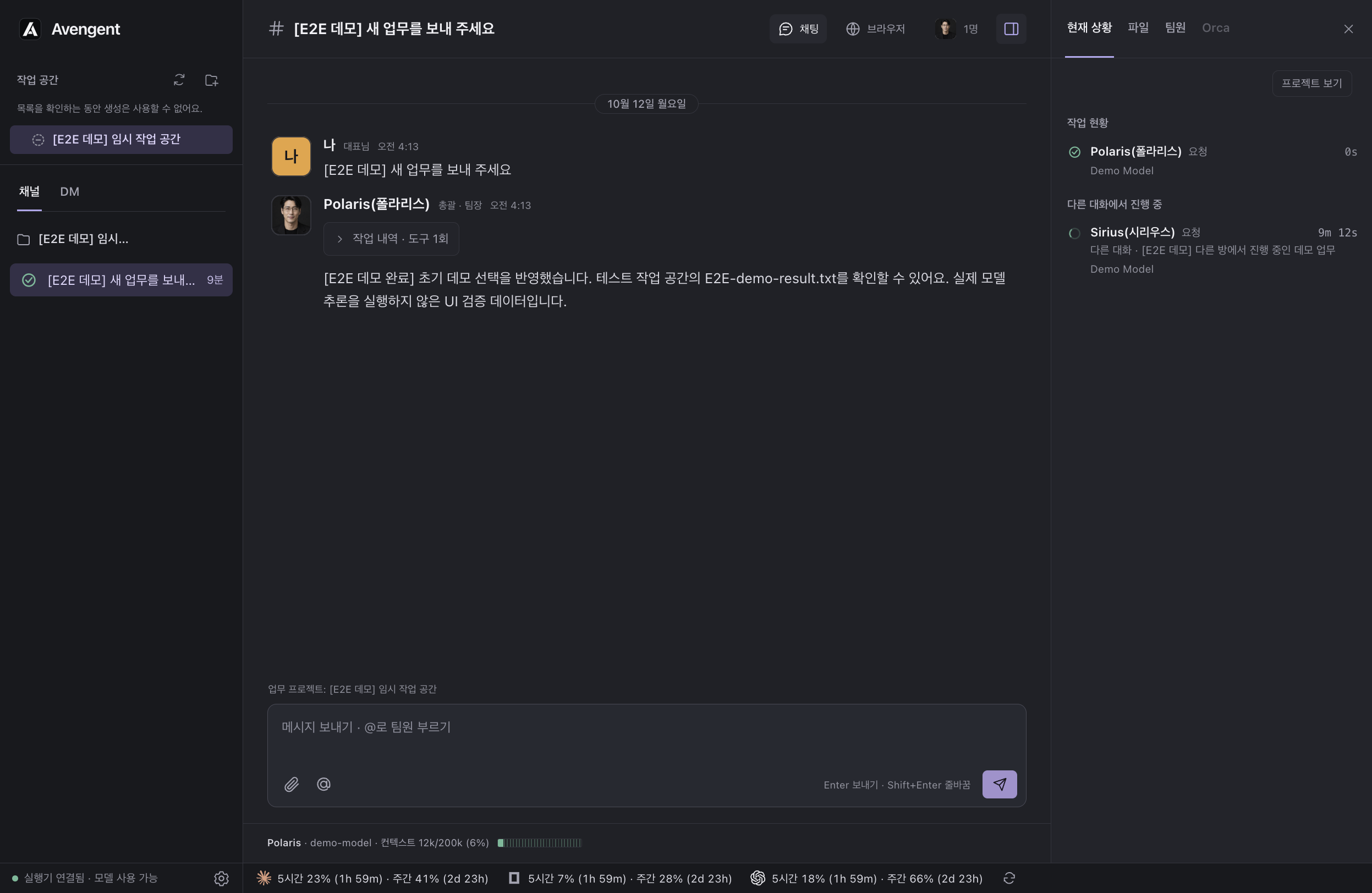
macOS app · In development
16 AI agents from different fields finish your project together.
A macOS app that works with real project files and runs tools.
Handed this week's plan to Cassiopeia. When the plan is ready, Altair implements and Parallax reviews the changes.
Split the work into research, implementation, and review, and wrote it up as a plan. Altair is next.
Implemented the first pass and checked it against the real screen. Requesting a Parallax review.
Polaris delegates work to the roles a task needs, and another teammate reviews the changes. You can also call a teammate directly.
16 is the number of specialist roles you can choose from. The teammates involved depend on each request, and not all of them run at once.
Describe the task once. If it's ambiguous, a teammate asks for clarification.
The teammates you need split the work into research, planning, and implementation.
Another teammate checks the changes and results against the requirements.
Review it in the project files and the built-in browser.
Connect multiple providers like Claude, OpenAI, and Google, and assign each teammate their own model. Choose from the models available to your connected accounts.
 OpenAI
 Claude
 OpenCode
 Google Gemini
 Google Cloud
 Cursor
 GitHub Copilot
 OpenRouter
 DeepSeek
 xAI
xAI Mistral
 Meta
Meta Hugging Face
 Cloudflare
 NVIDIA
 Qwen
Qwen Kimi
Kimi MiniMax
 Alibaba Cloud
 Ollama Cloud
Availability depends on the connected runtime, account and model’s tool support. A login or API key is required; this catalog is not a benchmark of every provider.
Work with project files and run tools. Open results inside the app to review them, and point out what to change.
Ask in team chat and see task status and results on the same screen. Each project has its own workspace, so context stays separate.
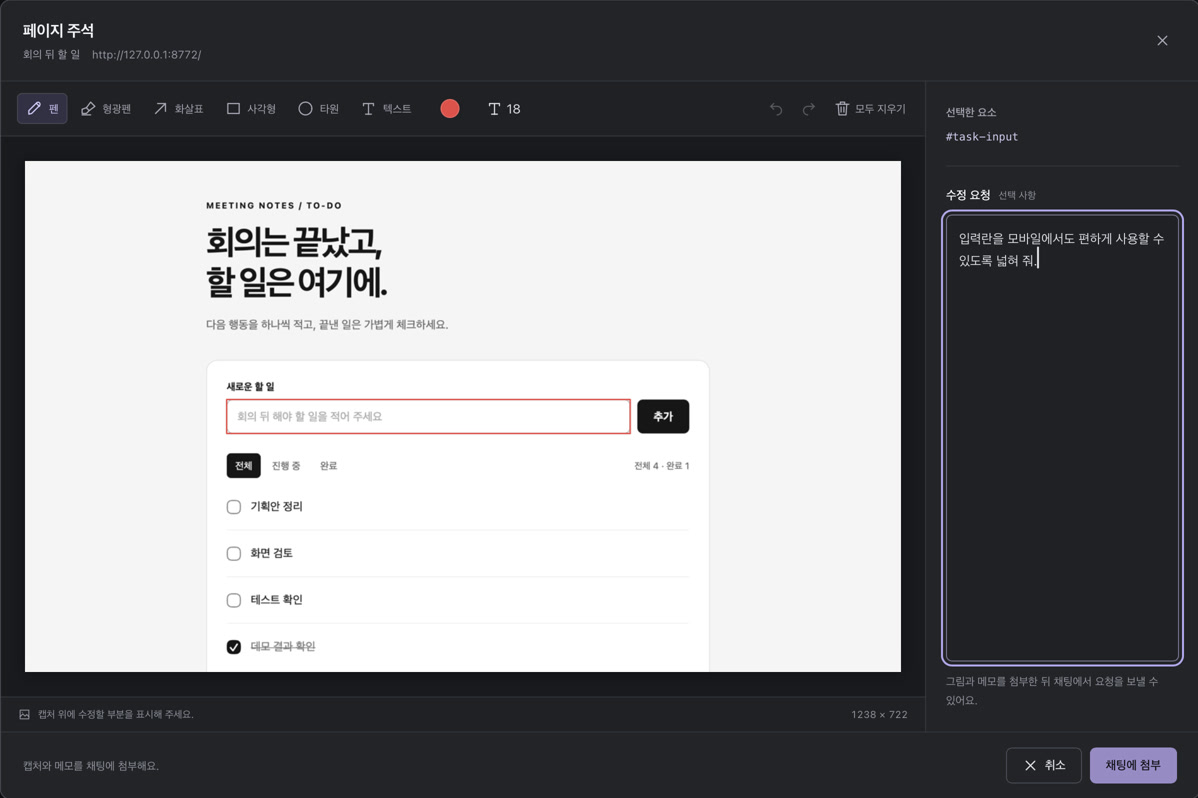
Select and mark elements in the built-in browser. Attach the capture and selection info to show exactly where to change.
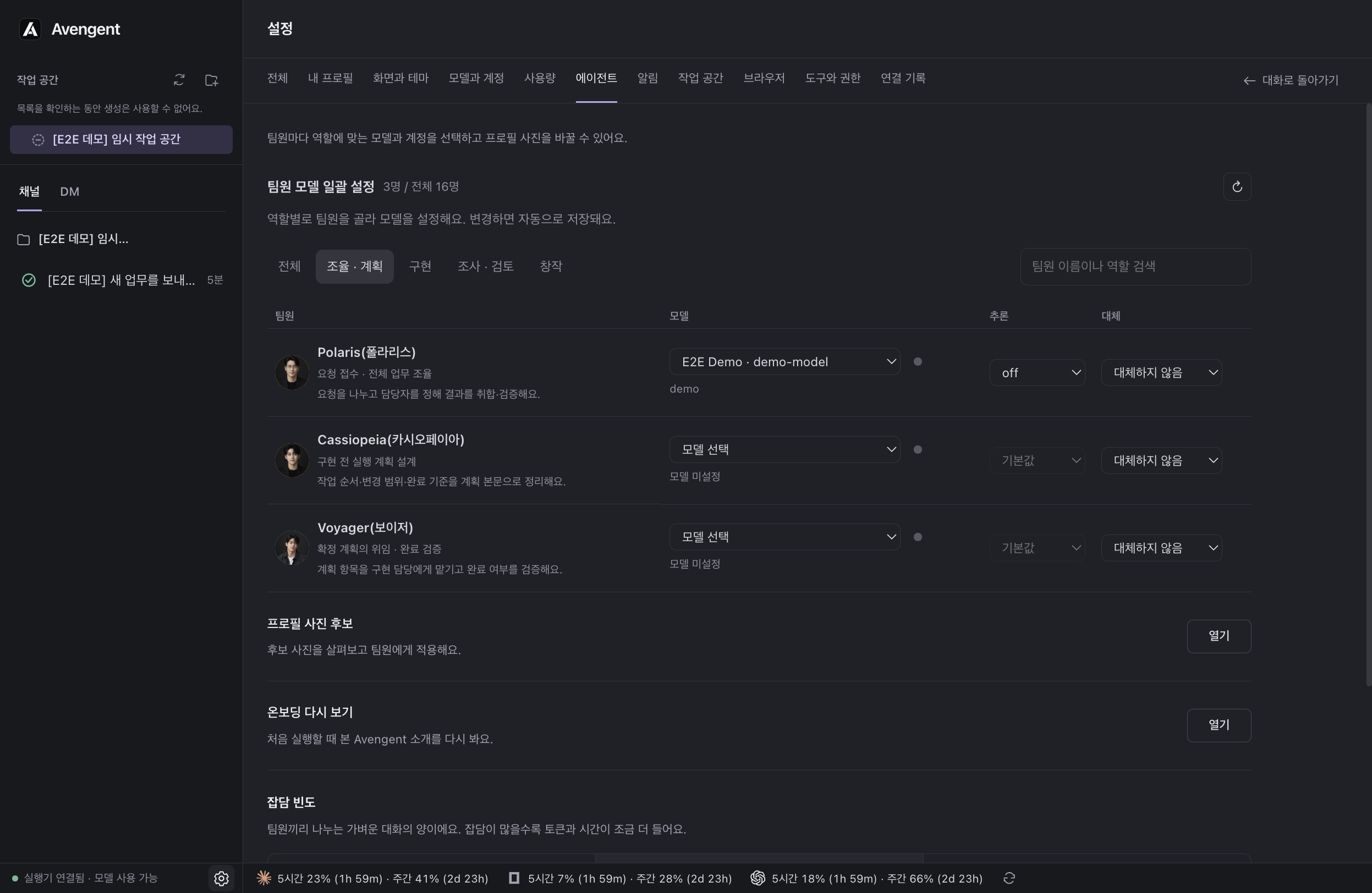
Choose each teammate’s model, reasoning level, and fallback model in one place. Use a different configuration for research, implementation, and review.
| Workflow | What you do in Avengent |
|---|---|
| Role sharing | Delegate research, planning, implementation and review to the relevant specialist. |
| Cross review | Ask another teammate to check the plan and completed changes. |
| Model settings | Choose each teammate’s runtime, model and reasoning level. |
| Project records | Follow tasks through the timeline, kanban board and shared notes. |
| Edit instructions | Select an element in the built-in browser and attach a marked capture. |
From request → collaboration → manipulating the result. One run in the real app, using public demo data.
One real run that built a task board with public demo data. Waiting periods were cut, and we edited the collaboration record (the review segment is a still frame) and the result manipulation. This is a single example run.
Request. A single HTML task board for managing to-dos after a meeting. We asked for add, complete, filter, and persist-after-refresh features.
Collaboration. Cassiopeia planned, Altair implemented, and Parallax reviewed. Polaris checked the behavior in the browser and recorded the evidence of completion.
We're preparing a macOS preview release.
The installer isn't publicly available yet. Send us an inquiry about using the preview.
Ask about the Mac previewWe use the same agents, but organize them into a team with divided roles. We share out the request and have another teammate review it, and assign each teammate their own runtime and model. Unlike putting all the context into one session, the progress record stays with the project.
We're currently in the development and local-validation stage for the macOS app, so we don't offer a public download. For product inquiries, email [email protected].
We're developing it to use the models offered by connected runtimes and accounts, such as Claude Code and Codex. You'll need to install a runtime and connect an account, and the models, usage limits, and pricing vary by account.
On supported runtimes you can wait or revert your input, and choose whether to continue with another connected model. Waiting and fallback-model support vary by runtime and account.
It is a single run that built a task board with public demo data. It is not a general performance benchmark.
Avengent is a macOS app where 16 role-based AI agents research, plan, implement and review work on your project in one shared workspace. Connect Claude Code, Codex or other runtimes, and choose a model for each teammate.
Currently in development for macOS. Runtime installation, an account and provider fees are required. Public downloads and Claude API benchmark results are not available yet.